kosmos
kosmos - project & tasks management
kosmos is a web application focused on project and team management, specifically designed to meet the needs of small businesses and startups seeking a simpler alternative with a lower learning curve than complex tools like Jira.
Its name, of Greek origin, evokes the concepts of order, structure, and harmony, which serve as the fundamental pillars of the product’s user experience.

Main characteristics
Here is the translation of the features into English, maintaining the professional and technical tone:
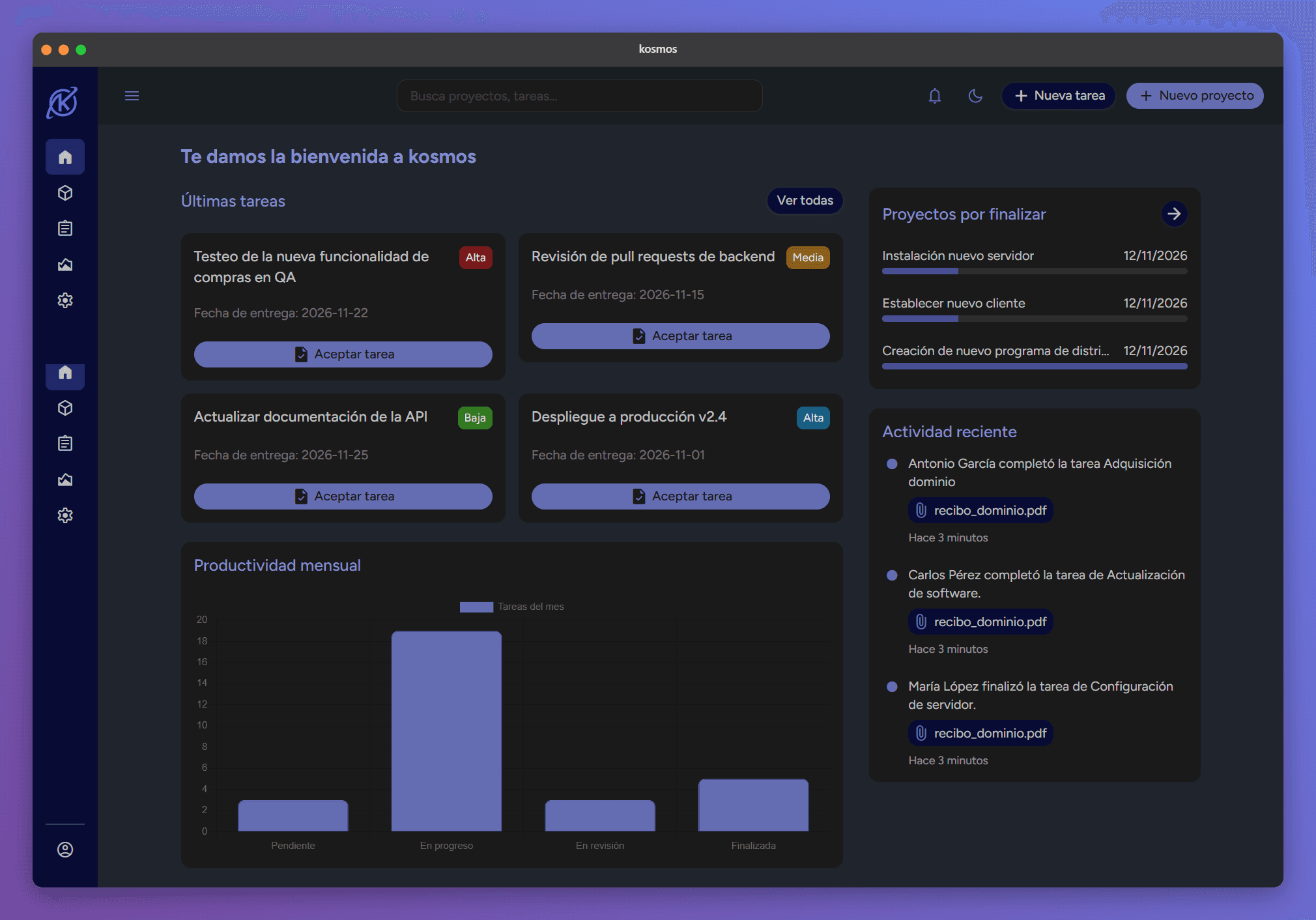
Comprehensive Dashboard: A global view featuring Key Performance Indicators (KPIs) on monthly productivity, pending tasks, and recent activity.
Stepper-Based Project Management: A three-step project creation system (details, tasks, and summary) that ensures data integrity before publishing.
Dynamic Task System: Enables real-time tracking of "tasks in progress," with features to adjust timelines, edit documentation, and filter by priority or department.
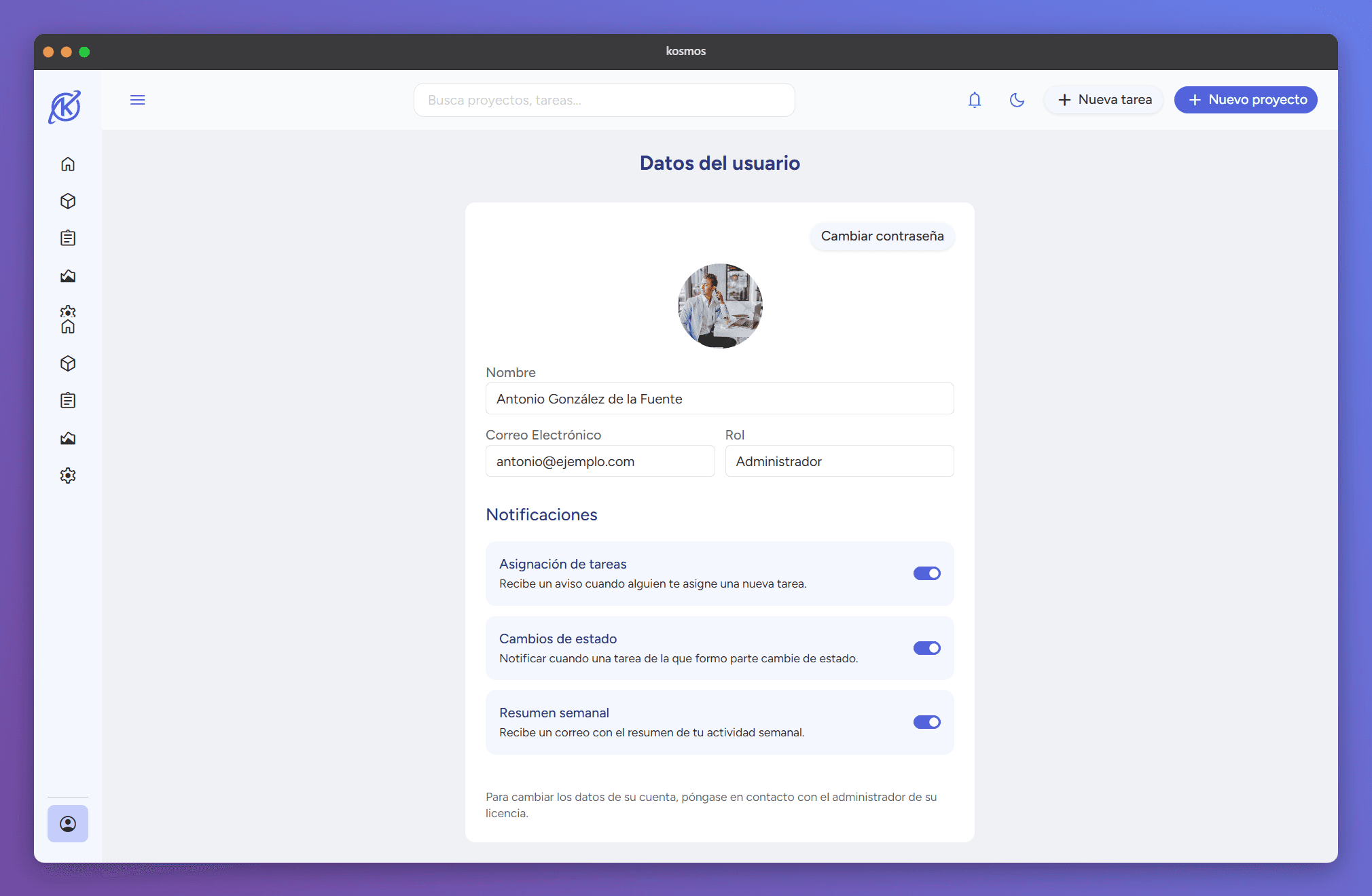
High-Fidelity Design & Dark Mode: A scalable responsive interface (1440px) that includes a native dark mode, prioritizing accessibility and contrast.
Complex challenges and solutions
Throughout the project, several complex challenges emerged that required creative problem-solving:
The Stepper Challenge
Creating the "New Project" three-step flow was the most significant hurdle from a coding perspective. It required managing dynamic validations that changed at each step—such as mandating the creation of at least one task in Step 2—while ensuring that data remained intact if the user navigated backward or forward through the flow.
Dark Mode Management
Implementing a Dark Mode that didn’t sacrifice accessibility was a major feat. This was solved by using localStorage to persist user preferences and inserting a specific script at the start of every HTML file to prevent the visual "flash" (that jarring flicker of the default theme before the dark theme loads).
External Library Conflicts
Bootstrap: We encountered difficulties when adjusting icon colors within specific components and scaling certain elements (like switches) specifically for the dark mode interface.
Chart.js: Implementing the metrics charts presented unexpected responsiveness issues on smaller screens, requiring custom adjustments to ensure data remained readable.
AI as "Dangerous Assistance"
While AI significantly accelerated the workflow, it also experienced "hallucination events" that demanded constant human oversight. At a strategic turning point, we decided to limit its use to avoid generating overly complex "component variants," choosing instead to maintain a more manageable logic through direct HTML interpolation.
Time Constraints
Due to the ambitious scope of the project, some planned interactions—such as more visual features on the tasks page—had to be postponed for future versions. We chose to prioritize code stability and cleanliness for the current release over a bloated feature set.
AI responsibility
Artificial Intelligence was integrated as a support tool for ideation and wireframe generation, as well as for debugging and suggesting code snippets. This allowed for an accelerated development process without compromising the authorship of the structural and design work.
Technologies
HTML
CSS
Javascript
Bootstrap
Chart.js
Lodash
Vue.js
Key lessons
The project demonstrated that a well-planned architecture and a solid preliminary design in Figma are essential for managing complexity and avoiding code duplication. Additionally, mastering Lodash proved vital for efficiently handling the filtering and sorting of data collections within the application.
Used tools
Figma

Visual Studio Code